
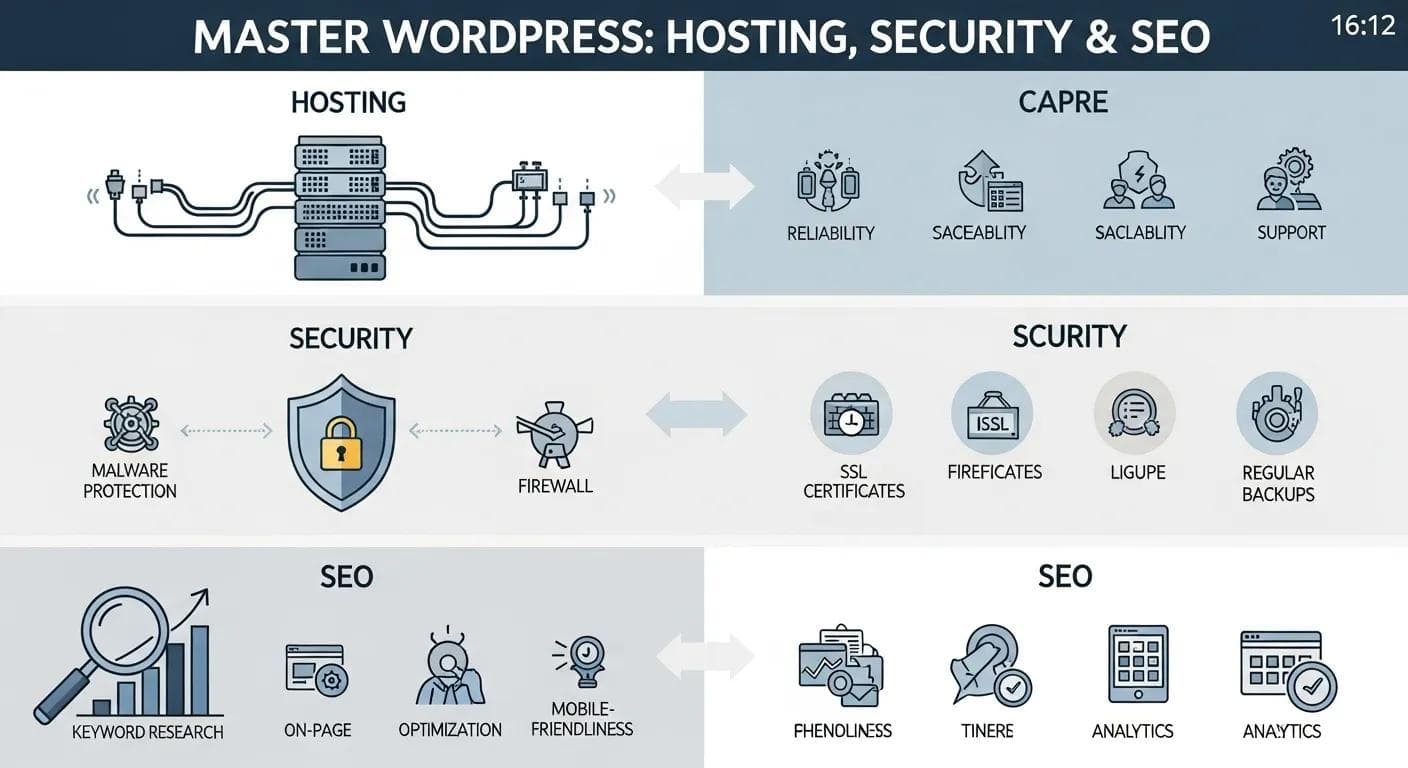
WordPress has fundamentally transformed how individuals and businesses establish and manage their online presence. As a remarkably flexible content management system (CMS), it seamlessly blends an approachable editor with profound customization capabilities, empowering both beginners and seasoned developers to create powerful, dynamic websites.
This comprehensive pillar guide serves as your ultimate resource, meticulously walking you through the core mechanics of WordPress, the distinct advantages of specialized WordPress hosting, essential practical security measures, effective SEO tactics for superior visibility, and a clear, actionable path to building a high-performing site. Many find the initial site setup and ongoing maintenance daunting — but with focused guidance and the right tools, these hurdles become straightforward to overcome. Read on for a practical roadmap to getting your WordPress site live, secure, and discoverable, ensuring it serves as a robust foundation for your digital endeavors.
Understanding WordPress: What It Is and How It Works as a CMS
WordPress is a powerful, open-source content management system (CMS) designed to simplify the creation, editing, and organization of web content. Built on PHP with a MySQL or MariaDB database, it empowers users to launch sophisticated websites without requiring deep coding skills. Its true strength lies in its extensive ecosystem of themes and plugins, which allow for rapid design changes and the seamless addition of advanced features. This inherent flexibility makes WordPress an ideal fit for a vast array of online ventures, from personal blogs and portfolios to complex corporate sites and robust online stores.
As a CMS, WordPress excels at streamlining the publishing and content management workflow. Through its intuitive dashboard, you can effortlessly write posts, upload images, and manage multimedia content with minimal friction. This remarkable ease of use is a significant factor in why over 40% of the entire web currently runs on WordPress. The platform also supports diverse content types, including posts, pages, and custom post types, providing you with numerous ways to structure and organize your site’s information effectively.
How Does WordPress Use Themes and Plugins to Enhance Websites?
At the heart of WordPress’s adaptability are themes and plugins. Themes dictate the visual appearance and layout of your site, controlling everything from typography and color schemes to page structures. Popular themes like Astra and Divi offer highly flexible design foundations, allowing for extensive customization without touching code. Plugins, on the other hand, extend the functionality of your website, adding new features and capabilities. Essential plugins such as Yoast SEO provide powerful search engine optimization tools, while WooCommerce transforms a standard WordPress site into a full-fledged e-commerce platform. This modular setup is a cornerstone of WordPress, enabling you to tailor a site precisely to your exact goals and requirements without the need to rebuild from scratch.
What Are the Benefits of WordPress Hosting?

Choosing the right hosting environment is paramount for any website, and for WordPress, specialized WordPress hosting offers distinct advantages. This type of hosting is meticulously configured and optimized specifically for WordPress sites, delivering superior performance, enhanced security, and expert support compared to generic hosting solutions. The hosting provider you select is one of the most critical factors influencing how reliably and quickly your site operates.
- Faster performance: Dedicated WordPress hosts typically integrate advanced caching mechanisms (like server-level caching) and Content Delivery Network (CDN) support. These features significantly reduce page load times, improving user experience and contributing positively to SEO.
- Built-in security: Managed WordPress plans often come with a suite of security features designed to protect your site. This includes automatic core, theme, and plugin updates, proactive malware scanning, robust firewalls, and brute-force protection, all working to minimize security risks.
- Specialized support and uptime: Hosting providers that focus exclusively on WordPress offer expert technical support teams who are deeply familiar with the platform. They can quickly diagnose and resolve WordPress-specific issues. Furthermore, these hosts often provide Service Level Agreements (SLAs) guaranteeing high uptime, ensuring your site remains online and accessible to your audience.
| Hosting Feature | Description | Benefit |
|---|---|---|
| Performance Optimization | Server-level caching and CDN integration | Significantly faster loading times for all visitors |
| Enhanced Security | Automatic updates, malware protection, and firewalls | Proactive defense against vulnerabilities and attacks |
| Expert Support | WordPress-specific technical assistance 24/7 | Rapid and effective resolution of any platform-related issues |
For those seeking dependable and high-performing WordPress hosting, Hostingial offers meticulously tuned plans built around optimal performance and robust security. With Hostingial, you can confidently focus on creating compelling content and driving business growth, knowing that the technical intricacies are expertly handled.
How To Build a WordPress Website Step-by-Step?
Embarking on the journey to create a WordPress site involves a series of clear, manageable steps, ranging from securing your unique domain name to customizing your site’s aesthetic. Adopting a structured, step-by-step approach ensures the process remains manageable, accelerates your launch timeline, and ultimately sets your website up for long-term success and growth.
What Are the Essential Steps to Install and Set Up WordPress?
- Choose a domain name: Your domain name is your website’s address and brand identity. Select a memorable, relevant domain that accurately reflects your brand, business, or topic. Consider using keywords if appropriate, but prioritize brandability.
- Select a hosting provider: As discussed, choosing a host specifically optimized for WordPress is crucial. Providers like Hostingial offer tailored plans that simplify the entire setup process, often including one-click WordPress installation.
- Install WordPress: Most reputable hosts provide user-friendly one-click installers (e.g., Softaculous) that allow you to get WordPress up and running on your server in just a few minutes, eliminating the need for manual file uploads or database configuration.
- Configure basic settings: Once installed, log into your WordPress dashboard to configure essential settings. This includes setting your site title and tagline, choosing your preferred permalink structure (e.g., Post name for better SEO), and adjusting general settings like time zone and language.
How Can Beginners Customize Their WordPress Site Using Themes and Plugins?
After the initial installation, the real fun begins: customizing your site to match your vision. Start by selecting a theme that aligns with your desired look and feel. There are thousands of free and premium themes available, catering to every niche. For beginners, starting with a lightweight, versatile theme (like Astra, GeneratePress, or Kadence) is often recommended for its performance benefits and ease of customization. Next, enhance your site’s functionality by adding essential plugins.
Consider an SEO plugin (such as Yoast SEO or Rank Math) to optimize your content for search engines, a contact form plugin (like Contact Form 7 or WPForms) for user communication, and a security plugin (like Wordfence) for protection. The key is to build only what you need initially to keep your site fast, secure, and easy to maintain, expanding functionality as your needs evolve. build-only what you need initially to keep your site fast, secure, and easy to maintain, expanding functionality as your needs evolve.
What Are WordPress Security Best Practices for 2026?

In the ever-evolving landscape of cyber threats, robust security is not merely an option but a critical necessity for any online presence. Applying fundamental safeguards and consistently staying current with updates will profoundly protect your WordPress site and its users, ensuring the integrity, availability, and trustworthiness of your digital asset. Proactive security measures are your best defense against potential breaches and data loss.
How Can You Protect Your WordPress Site from Malware and Attacks?
- Use strong passwords: This is the first line of defense. Enforce complex, unique passwords for all user accounts, including administrators, editors, and contributors. Utilize a password manager to generate and store these credentials securely, making it significantly harder for attackers to gain unauthorized access through brute-force attempts.
- Regular backups: Implement a consistent and reliable backup strategy. Schedule frequent, automated backups of your entire site (files and database) and store them in multiple secure, off-site locations. In the event of a security incident, data corruption, or server failure, a recent backup ensures you can recover your site quickly and minimize downtime.
- Install security plugins: Leverage specialized WordPress security plugins like Wordfence Security, Sucuri Security, or iThemes Security Pro. These tools offer a suite of features including firewalls, malware scanning, login attempt limits, file integrity monitoring, and vulnerability detection, providing an essential layer of protection against various threats.
Why Are Regular Updates, Backups, and Two-Factor Authentication Essential?
Maintaining a secure WordPress site hinges on a trifecta of critical practices: regular updates, comprehensive backups, and robust authentication. Keeping your WordPress core, themes, and plugins consistently updated is paramount because each update often includes patches for newly discovered security vulnerabilities. Neglecting updates leaves your site exposed to known exploits. Backups, as mentioned, provide an indispensable safety net, allowing you to restore your site to a previous, clean state if a breach or catastrophic failure occurs. Finally, two-factor authentication (2FA) adds a crucial second layer of verification beyond just a password. By requiring a code from a mobile device or another authentication method, 2FA dramatically reduces the risk of unauthorized access, even if an attacker manages to compromise a password.
How to Optimize WordPress SEO for Better Search Rankings?
Search Engine Optimization (SEO) is the process of enhancing your website to increase its visibility when people search for products or services related to your business on Google, Bing, and other search engines. Effective SEO helps people discover your site organically. By combining on-page best practices with technical improvements, you can significantly boost your visibility, attract valuable organic traffic, and ensure your WordPress website is easily discoverable by your target audience.
What Are the Key On-Page and Technical SEO Strategies for WordPress?
- Keyword research: Begin with thorough keyword research to identify the terms and phrases your target audience uses. Integrate these keywords naturally into your content, page titles, meta descriptions, headings, and image alt text. Avoid keyword stuffing, focusing instead on providing value.
- Optimize images: Images are crucial for engagement but can slow down your site. Optimize them by compressing file sizes without sacrificing quality, using descriptive filenames (e.g., `blue-widget-product.jpg` instead of `IMG_001.jpg`), and writing informative alt text. Alt text helps search engines understand image content and improves accessibility.
- Improve site speed: Page speed is a significant ranking factor and impacts user experience. Implement caching solutions (via plugins or server-side), optimize images, minify CSS and JavaScript, and consider using a CDN. Regularly test your site’s speed using tools like Google PageSpeed Insights.
- Mobile-friendliness: Ensure your WordPress theme is responsive, meaning it adapts seamlessly to different screen sizes (desktops, tablets, smartphones). Google prioritizes mobile-first indexing, so a mobile-friendly site is essential for good rankings.
- Internal linking: Strategically link to other relevant pages and posts within your own website. This helps search engines discover and index your content, distributes “link equity” across your site, and keeps visitors engaged longer.
Which WordPress SEO Plugins and Tools Enhance Website Visibility?
WordPress offers an array of powerful plugins and external tools to simplify and enhance your SEO efforts:
- SEO Plugins: Plugins such as Yoast SEO, Rank Math, or All in One SEO Pack are indispensable. They provide features for on-page optimization (meta titles, descriptions, keyword analysis), XML sitemap generation, schema markup, breadcrumbs, and content readability checks, making complex SEO tasks manageable for beginners and experts alike.
- Google Analytics: This free tool from Google is essential for tracking website traffic, understanding user behavior, identifying traffic sources, and measuring engagement metrics. It provides invaluable data to inform your SEO strategy.
- Google Search Console: Another free and vital tool from Google, Search Console allows you to monitor your site’s indexing status, identify crawl errors, see which keywords your site ranks for, and submit sitemaps. It’s crucial for understanding how Google views your site.
- Keyword Research Tools: Tools like Ahrefs, SEMrush, or even free options like Google Keyword Planner help you discover relevant keywords, analyze competitor strategies, and identify content opportunities.
How Is WordPress Used for Business and E-commerce Websites?
Beyond its origins as a blogging platform, WordPress has evolved into a robust and highly capable platform for professional business sites and full-fledged e-commerce stores. Its inherent flexibility, combined with a vast ecosystem of themes and plugins, offers businesses of all sizes the scalability and customization they need to thrive and grow online.
Why Choose WordPress for Small Business Website Development?
For small businesses, WordPress presents an exceptionally compelling solution for website development due to several key advantages:
- Cost-effectiveness: The core WordPress software is free, and there are countless free themes and plugins available. While premium options exist, businesses can build a professional site with a relatively low initial investment.
- Ease of use: Its intuitive dashboard and block editor (Gutenberg) make it accessible for business owners and their teams to manage content, update information, and even add new pages without extensive technical knowledge or reliance on developers.
- High customizability: With thousands of themes and plugins, WordPress allows small businesses to create a unique online presence that perfectly reflects their brand and meets their specific functional requirements, from appointment booking systems to portfolio displays.
- Scalability: As a business grows, WordPress can easily scale with it. New features, increased traffic, and expanded content can all be accommodated without needing to migrate to an entirely new platform.
- Strong community support: A massive global community means abundant resources, tutorials, and forums are available to help small business owners troubleshoot issues and learn new functionalities.
This combination of affordability, user-friendliness, and adaptability means small teams can establish a polished, professional web presence efficiently and without extensive developer hours.
How to Build an Online Store with WooCommerce on WordPress?
WooCommerce is the world’s most popular e-commerce plugin, seamlessly transforming any WordPress site into a powerful online store. It’s an open-source solution that provides complete control over your online shop, from products to payments.
- Install the plugin: The first step is to install and activate the free WooCommerce plugin from your WordPress dashboard. A setup wizard will guide you through initial configurations.
- Set up payment gateways: WooCommerce supports a wide range of payment options, including PayPal, Stripe, and direct bank transfers. You can also integrate with numerous other payment gateways via extensions.
- Add products: Easily add physical, digital, or variable products with detailed descriptions, images, pricing, and inventory levels. WooCommerce provides comprehensive product management tools.
- Configure shipping and taxes: Set up various shipping zones, methods, and rates. WooCommerce also helps you manage tax calculations based on location and product type.
- Customize your store: Choose a WooCommerce-compatible theme to ensure your store looks professional and functions flawlessly. Many themes are specifically designed to integrate beautifully with WooCommerce.
WooCommerce provides a comprehensive suite of features, giving you full control over inventory, order processing, customer management, and reporting, all within your familiar WordPress environment. This integration allows businesses to manage their content and commerce from a single, unified platform.
| Feature | Description | Benefit |
|---|---|---|
| WooCommerce Integration | Full e-commerce functionality built into WordPress | Sell products and services directly from your existing site |
| Payment Gateway Options | Support for major payment processors and local methods | Offer diverse payment choices, enhancing customer convenience |
| Inventory Management | Track stock levels, manage product variations, and automate stock status | Streamlined order processing and prevention of overselling |
| Shipping & Tax Configuration | Flexible settings for shipping zones, rates, and tax calculations | Accurate pricing and compliance for global sales |
With WordPress and its expansive ecosystem of themes and plugins, businesses can construct a tailored, scalable online presence that perfectly aligns with their strategic goals and budgetary considerations, fostering growth and digital success.
Frequently Asked Questions
What are the differences between WordPress.com and WordPress.org?
WordPress.com is a hosted service that handles all aspects of hosting, security, and maintenance for you. While convenient, it often comes with limitations on customization, plugin usage, and monetization options unless you upgrade to higher-tier plans. WordPress.org, conversely, refers to the self-hosted version of WordPress. With WordPress.org, you are responsible for choosing your own hosting provider, installing the software, and managing updates. This gives you maximum flexibility, complete ownership, and unrestricted access to themes, plugins, and code, but it also entails more responsibility for setup and ongoing maintenance.
How can I improve the loading speed of my WordPress site?
To significantly speed up your WordPress site, focus on several key areas: compress and optimize all images before uploading them; utilize caching plugins (such as W3 Total Cache, WP Super Cache, or WP Rocket) to serve static versions of your pages; implement a Content Delivery Network (CDN) to serve static files from servers geographically closer to your visitors; choose a high-quality, optimized hosting provider; and keep your WordPress core, themes, and plugins updated to their latest versions, as updates often include performance enhancements.
What are the best practices for choosing a WordPress theme?
When selecting a WordPress theme, prioritize responsiveness (ensuring it looks good on all devices), speed, and active developer support. Look for themes that are lightweight, well-coded, and compatible with essential plugins you plan to use (e.g., WooCommerce, popular page builders). Always check the theme’s update history, read user reviews, and thoroughly explore live demos to judge its quality, features, and ease of customization. Opting for themes optimized for SEO and performance from the outset can save significant optimization work later.
How can I secure my WordPress site against hacking attempts?
To robustly secure your WordPress site, always use strong, unique passwords for all accounts and enable two-factor authentication (2FA) for an extra layer of security. Consistently keep your WordPress core, themes, and plugins updated to patch known vulnerabilities. Install and configure reputable security plugins like Wordfence or Sucuri, which offer firewalls, malware scanning, and brute-force protection. Additionally, limit login attempts, use an SSL certificate to encrypt data transmission, and regularly back up your entire site.
What are the advantages of using a managed WordPress hosting service?
Managed WordPress hosting services offer numerous advantages, particularly for users who prefer to focus on content rather than technical management. These services typically include automatic WordPress core, theme, and plugin updates; enhanced security features like malware scanning, firewalls, and intrusion detection; daily backups; and specialized WordPress-focused support teams. This comprehensive approach significantly reduces your maintenance overhead, frees you to concentrate on content creation and business growth, and ensures your site runs optimally and securely.
How can I track the performance of my WordPress website?
To effectively track your WordPress website‘s performance, integrate Google Analytics to monitor visitor behavior, traffic sources, bounce rates, and engagement metrics. Utilize Google Search Console to keep an eye on your site’s indexing status, search visibility, keyword performance, and any crawl errors. For real-time speed and uptime data, consider using performance-monitoring plugins or external tools like UptimeRobot. Regularly reviewing these data sources allows you to make informed, data-driven improvements to your site’s content and technical SEO.
Explore Hostingial WordPress Plans
Ready to Build Your WordPress Site?
Unlock the full potential of WordPress with Hostingial’s optimized hosting plans. Get started today and bring your vision to life!
Conclusion
Mastering WordPress equips you with the essential tools to build flexible, high-performing, and secure websites that stand out in the digital landscape. By strategically combining optimized hosting solutions, implementing robust security practices, and employing smart SEO tactics, you can ensure your site remains fast, safe, and easily discoverable by your target audience. The journey to a successful online presence doesn’t have to be complex. Explore our comprehensive guides and specialized tools at Hostingial to simplify every step of the process — then, confidently embark on building a powerful WordPress site that truly serves your goals.