
As sites attract more visitors and add features, hosting becomes a core business decision. VPS () hosting gives you a dedicated slice of a server — more predictable performance and greater control than shared plans. This guide walks through what VPS offers, why it matters, and the signs that it’s time to upgrade. If you’ve hit slow page loads, resource limits, or want stronger isolation and custom setup, VPS is usually the next sensible step. We’ll cover the main features, benefits, migration basics, and how to choose the right VPS for your needs.
What Is VPS Hosting and How Does It Differ from Shared Hosting?
VPS hosting uses virtualization to create independent server instances on one physical machine. Unlike shared hosting — where many sites draw from the same pool of CPU, RAM, and I/O — a VPS assigns dedicated resources to each instance. That isolation means steadier performance, better stability, and stronger security boundaries. Typical VPS allocations include guaranteed CPU, RAM, and disk space, all of which help keep your site responsive under load. VPS hosting is a suitable choice for those requiring dedicated resources.
Knowing what affects VPS performance makes choosing the right plan much easier.
VPS Performance Evaluation & Selection
A Virtual Private Server gives users a full operating-system instance and finer control over allocated software and hardware resources. VPS performance depends on factors like the host’s physical hardware, the guest OS, the virtualization layer, and the network fabric. Picking a VPS provider that matches an application’s resource and performance needs is therefore essential.
Comparative performance evaluation of popular virtual private servers, J Balen, 2020
What Are the Key Features of VPS Hosting?
VPS plans include a few important features that set them apart from shared hosting:
- Dedicated Resources : Your VPS gets its own CPU, RAM, and storage allocation so other sites won’t steal performance.
- Root Access : Full server control lets you install custom software, run services, and tune performance.
- Customization Options : Configure PHP, web servers, security rules, and other stack components to fit your app.
Those capabilities make VPS hosting a clear step up for sites that need reliability and flexibility beyond entry-level shared plans.
What Are the Limitations of Shared Hosting?
Shared hosting is cost-effective, but it comes with trade-offs:
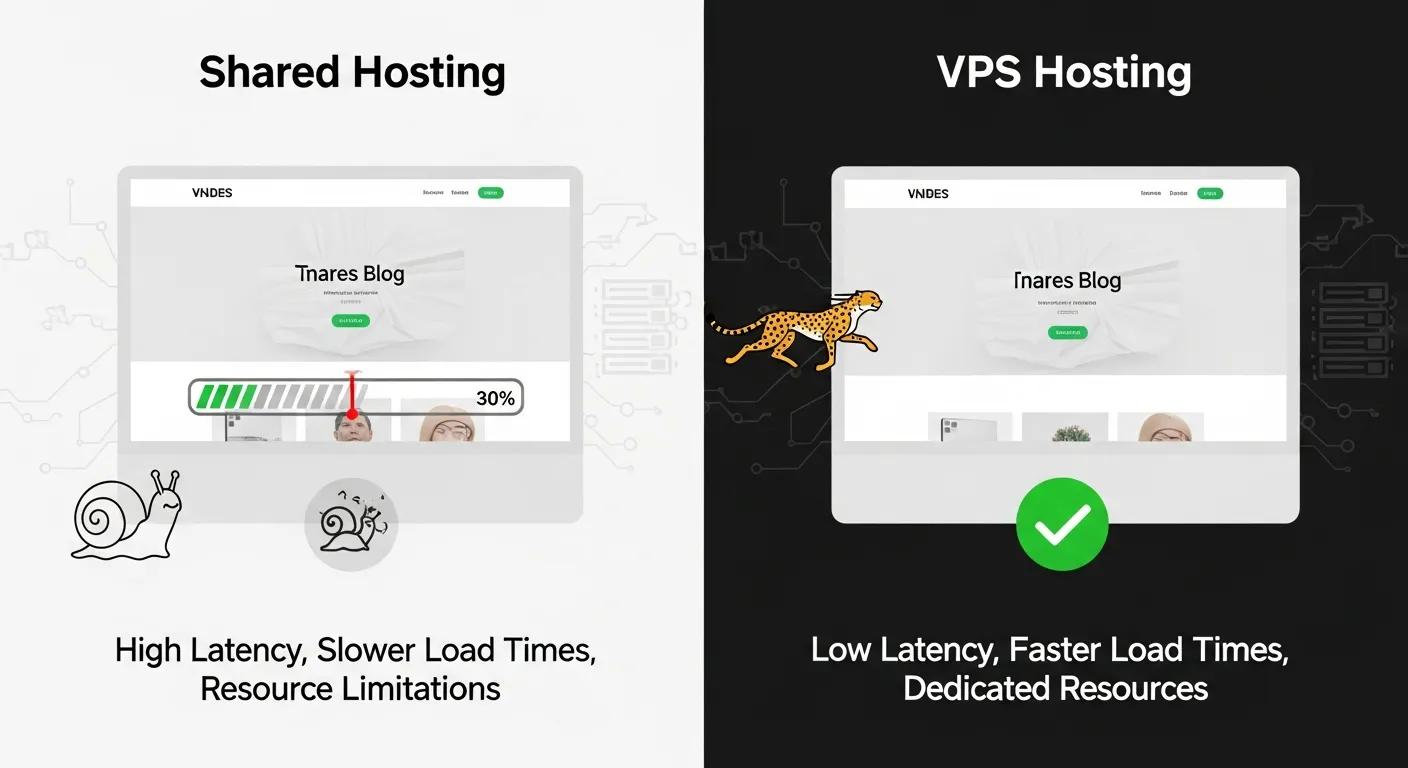
- Resource Limits : Bandwidth, CPU, and RAM are shared — so traffic spikes on one site can slow others.
- Performance Variability : Load times and uptime can dip when neighbors consume resources or run heavy processes.
- Security Exposure : A compromise on one account can sometimes affect other sites on the same server.
If those constraints are impacting users or revenue, it’s time to consider moving up to VPS.
What Are the Benefits of Upgrading to VPS Hosting?
Upgrading to VPS brings tangible operational and business benefits.
- Improved Performance : Dedicated resources reduce contention, yielding faster load times and more consistent response under traffic.
- Enhanced Security : Isolated environments and configurable security controls lower the risk from neighboring accounts.
- Greater Control and Scalability : Scale CPU, memory, and storage as your needs grow without changing hosting architecture.
For growing sites that prioritize speed, reliability, and configurability, VPS is a practical, strategic upgrade.
How Does VPS Hosting Improve Website Performance and Security?
VPS eliminates many shared–hosting bottlenecks by assigning CPU and RAM directly to your instance. That means fewer slowdowns during traffic spikes and more predictable page speeds — a boost for user experience and SEO. On security, VPS allows stronger isolation plus tools like configurable firewalls, DDoS protections, and controlled access policies to reduce common attack surfaces.
What Control and Scalability Does VPS Hosting Offer?
With root or admin access on a VPS, you can install specific software stacks, tune caching, and automate maintenance. When traffic grows, you can typically add CPU, RAM, or disk without a full migration. This flexibility helps you match infrastructure to real demand while keeping operational overhead manageable.
Practical resource management is critical to keep a VPS efficient and cost-effective as demand changes.
VPS Hosting Resource Management
This paper reviews models for allocating data-center resources for VPS hosting. One approach treats resources as fixed-size virtual nodes and examines cases of both resource surplus and shortage. The authors explore linear and nonlinear formulations and propose heuristic and genetic algorithms to improve allocation effectiveness, with comparative results.
Models and methods of resource management for VPS hosting, S Telenyk, 2013
When Should You Upgrade from Shared Hosting to VPS in 2026?
Spotting the right moment to move to VPS prevents user frustration and lost revenue.
- Increased Traffic : If your visitor numbers or concurrent users exceed what your shared plan reliably handles, upgrade.
- Performance Issues : Regular slow pages or downtime are clear signals your current plan is struggling.
- Specific Software Needs : When your site requires custom server software, background processes, or special configurations, shared hosting often won’t suffice.
Acting on these signs early keeps your site responsive and helps avoid emergency migrations.
What Are the Signs You’ve Outgrown Shared Hosting?
Common indicators that you’ve outgrown a shared plan include:
- Slow Load Times : Noticeable lag for pages, especially during traffic peaks.
- Frequent Downtime : Repeated outages or maintenance windows that hurt availability.
- Resource Warnings : Alerts about CPU, memory, or inode limits being reached.
If these issues are recurring, migrating to VPS will likely improve stability and user satisfaction.
How Do E-commerce and High-Traffic Sites Benefit from VPS?
E-commerce and busy web apps gain several practical advantages from VPS hosting:
- Handling Traffic Surges : VPS can absorb sudden load increases without taking the whole server down.
- Improved Security for Transactions : Stronger isolation and configurable protections help secure payments and customer data.
- Better ResourceManagement : Allocate just the right CPU, RAM, and I/O to keep checkout and API calls fast.
For revenue-critical sites, those benefits directly support conversions and uptime commitments.
How Does VPS Hosting Compare to Shared Hosting in 2026?
In 2026, the core differences between VPS and shared hosting remain the same: cost, control, and predictability. VPS costs more than basic shared plans, but it delivers measurable gains in performance and security. It also usually requires more technical know-how unless you choose a managed VPS option.
What Are the Cost and Technical Skill Differences?
VPS pricing reflects dedicated resource guarantees and often includes options for managed support. While that investment can be higher than shared hosting, the return comes from reduced downtime and better user experience. On the technical side, unmanaged VPS will demand system administration skills; managed VPS offloads those tasks to the provider.
How Do Performance, Security, and Control Compare?
VPS offers superior, consistent performance thanks to dedicated CPU and memory. Security is stronger because environments are isolated and configurable. And control is far greater — you get full access to server settings and can install tooling that shared hosting won’t allow.
How to Upgrade from Shared Hosting to VPS Hosting with Hostingial?
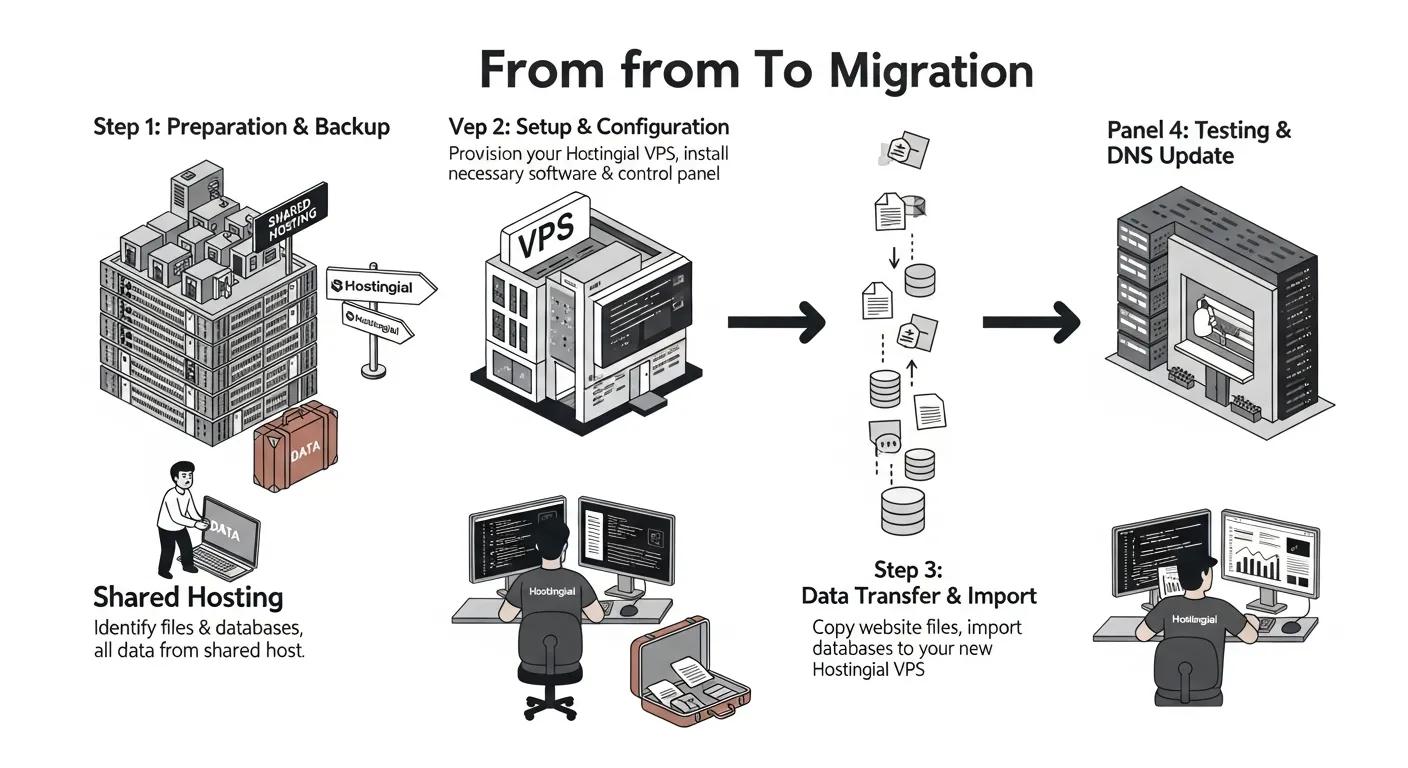
Moving from shared hosting to a VPS is manageable with a clear plan. Below are the typical steps and how Hostingial supports the process.
Choosing the right VPS provider matters — compare offerings, support levels, and contract terms before committing.
How to Choose a VPS Provider
Picking a VPS provider can be confusing: vendors serve individuals, small businesses, and enterprises with different packaging (bundles vs pay-as-you-go) and varying service agreements. Terms like Terms of Service (TOS) and Service Level Agreement (SLA) matter — without clear guidance you may end up with the wrong plan or unnecessary costs.
Selecting a VPS Provider, 2021
What Is the Step-by-Step Migration Process?
A typical migration flow looks like this: hosting
- Pre-Migration Checklist : Back up files and databases, inventory dependencies, and plan rollback steps.
- Data Transfer Steps : Copy site files, import databases, and test in the VPS environment.
- DNS Updates : Point your domain to the new server and monitor propagation and traffic.
Following these steps — and testing thoroughly — reduces risk and downtime.
How Does Hostingial Support You During and After Migration?
Hostingial offers hands-on migration help and 24/7 support through live chat, email, and WhatsApp. Our dashboard simplifies server management, and optional managed plans take care of updates, security, and backups so you can focus on your site. That support helps ensure a smooth cutover and steady operation afterward.
What Are the VPS Hosting Trends and Future Outlook for 2026 and Beyond?
Looking ahead, a few trends are shaping VPS hosting and how teams operate:
How Are NVMe SSDs and Managed VPS Services Shaping Hosting?
NVMe storage is becoming standard for performance-sensitive VPS plans — it delivers much faster disk I/O than older SATA SSDs. At the same time, managed VPS services are growing in popularity, giving teams expert operations without hiring full-time sysadmins.
What Role Does AI Integration Play in VPS Hosting?
AI is increasingly used to automate monitoring, optimize resource allocation, and predict traffic surges. Those capabilities can improve reliability and reduce human effort, letting providers and customers be more proactive about capacity and security.
| Feature | VPS Hosting | Shared Hosting |
|---|---|---|
| Resource Allocation | Dedicated resources | Shared resources |
| Performance | High, consistent | Variable, influenced by other users |
| Security | Isolated and configurable | Basic, shared exposure |
| Control | Full root/admin access | Limited configuration options |
The table highlights why VPS is often the better option for businesses that need scalability, predictability, and stronger security controls.
VPS hosting is a practical next step for sites that have outgrown shared hosting. With clearer resource guarantees, stronger isolation, and more control, VPS can improve performance and reliability while enabling growth. Plan migrations carefully, pick a provider whose support matches your needs, and you’ll get the most value from a VPS upgrade.
Frequently Asked Questions
What is the difference between managed and unmanaged VPS hosting?
Managed VPS includes provider-handled tasks like updates, security hardening, and backups — good for teams that want to avoid day-to-day server management. Unmanaged VPS gives you full control and typically costs less, but you’re responsible for maintenance, patching, and troubleshooting.
Can I switch from VPS hosting to shared hosting?
You can downgrade from VPS to shared hosting, but it’s usually only sensible if your site’s traffic and resource needs drop significantly. Always back up your data and check compatibility with the shared environment before making the change.
How does VPS hosting affect SEO performance?
VPS can help SEO by improving site speed and uptime — two factors search engines consider. Faster, more reliable pages improve user experience and reduce bounce rates, which indirectly supports search visibility.
What types of websites benefit most from VPS hosting?
High-traffic sites, e-commerce platforms, web apps, and any site that needs custom server software or stronger security controls typically see the biggest gains from VPS hosting.
Is VPS hosting suitable for beginners?
VPS can be approachable if you choose a managed plan. Unmanaged VPS requires technical skills, but many providers (including Hostingial) offer onboarding and support that make the transition smoother for less technical users.
What should I consider when choosing a VPS hosting provider?
Look for performance (CPU, RAM, NVMe storage), uptime guarantees, security features, scalability options, and reliable 24/7 support. Compare pricing structures and whether managed services are available if you prefer hands-off operations.
Conclusion
Moving to VPS hosting is a strategic step for sites that need steadier performance, tighter security, and more control. When you see resource limits, slowdowns, or special software needs, a VPS can remove constraints and enable growth. If you’re ready to explore VPS options, check Hostingial’s plans and support to find a setup that fits your traffic and technical needs.